The S22 Content Storage speculation describes how Raku distributions could be stored and accessed by a (possibly federated) Raku ecosystem. The content-storage repository contains an implementation of that speculation, implemented using the Cro framework.
This blog post gives a quick overview of the functionalities that are provided by the web-service that is provided by the content-storage distribution, as well as a command-line interface to it using the API exposed by the web-service.
A few steps need to be taken before one can start storing and installing Raku distributions (as shown in this diagram):
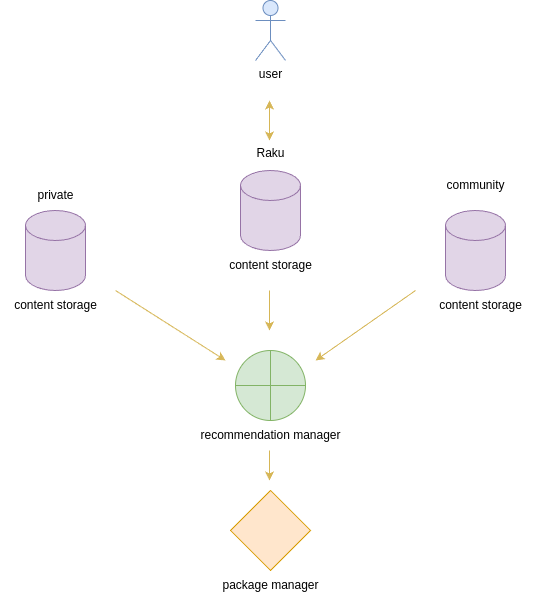
First a storage service is needed where users can register and upload their distributions. This is the role the content-storage distribution is designed to fulfill.
Secondly a Recommendation Manager (a service that translates a “raw” request for a module or certain type of functionality to a distribution package at a content storage location) can be configured to search multiple content-storages and recommend distributions for package managers to install.
Web Interface
An idea of how such a web interface can look:
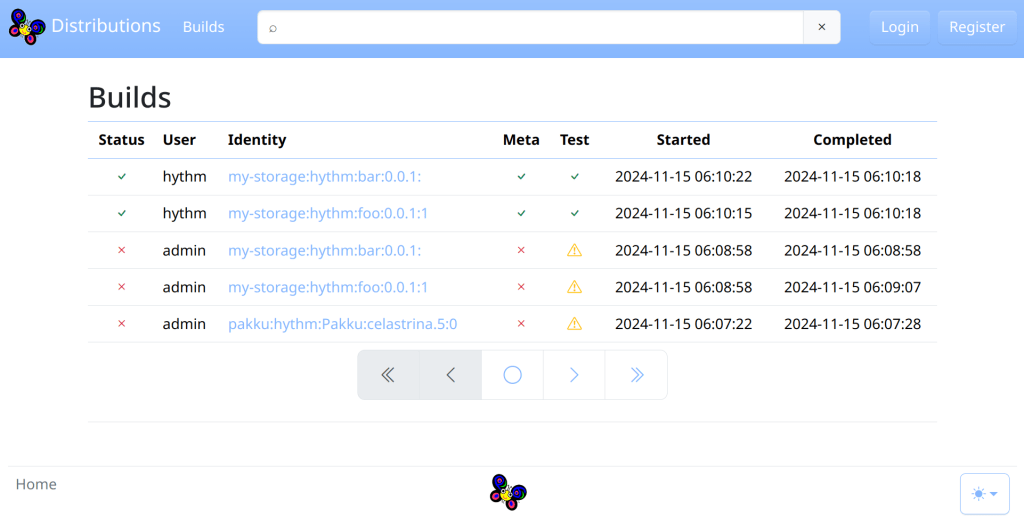
Once a content-storage service is running, one can register a new user or use default credentials user: admin password: admin to login. There is also an online demo content-storage instance available if you want to try out the content-storage features and you don’t want to go through the installation process of the content-storage distribution.
Adding a distribution
Distributions can be added by simply dragging them into the web interface of the content-storage.
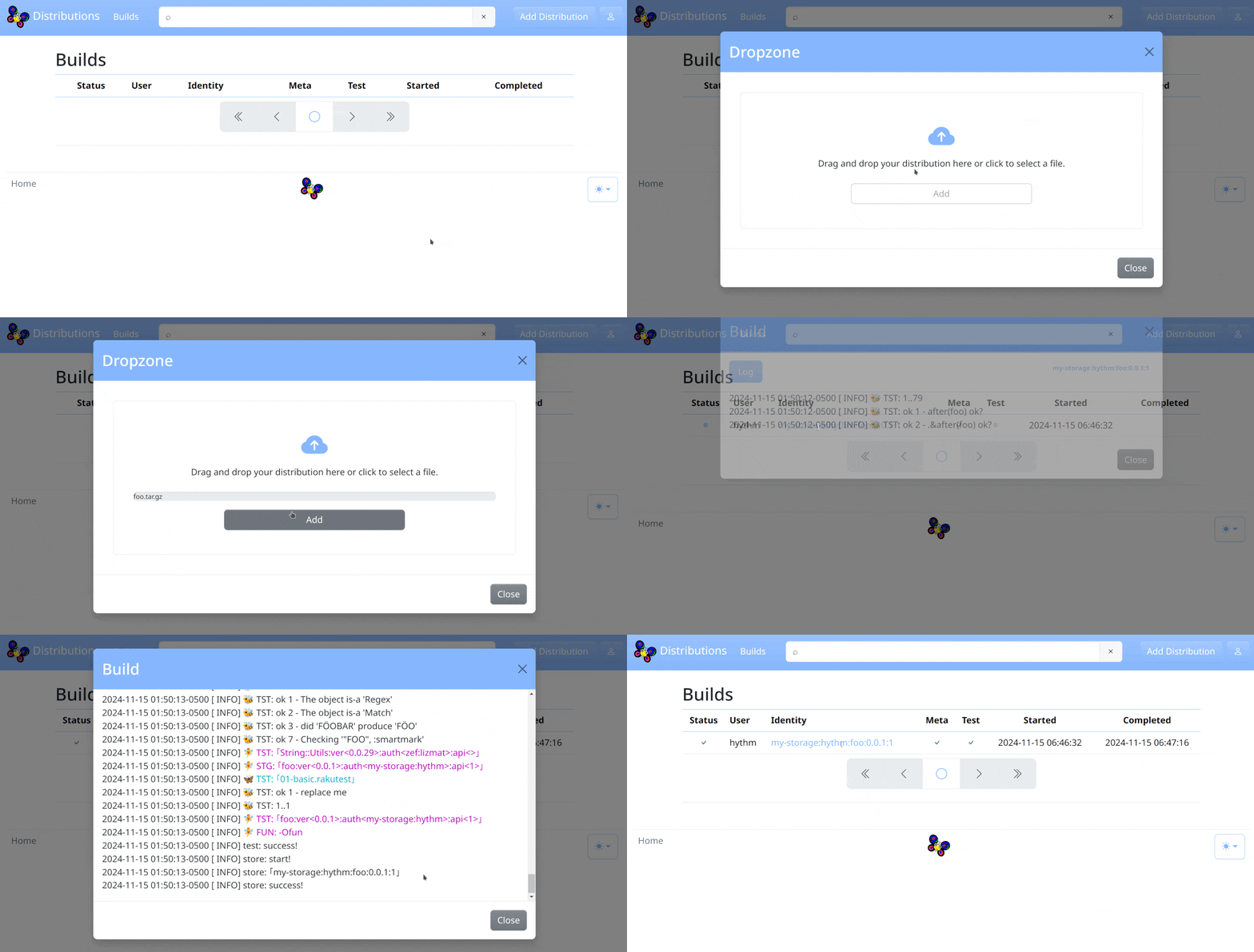
To be allowed to add a distribution, the META auth field must match the storage name and the logged-in user name. And the distribution archive must have the META6.json file in the root directory of the archive with the proper configuration.
A test command can be specified in the configuration and that command will be run to test the distribution before adding it to the storage. For example if App::Prove6 distribution is installed, one can specify prove6 -I. t in test.command config to test the distribution.
View Distribution
After an upload, the documentation of the uploaded distribution can be inspected using the web interface:
Searching the content-storage
Administration
Users with administration rights can delete distributions or builds, and manage users.
Command-line interface
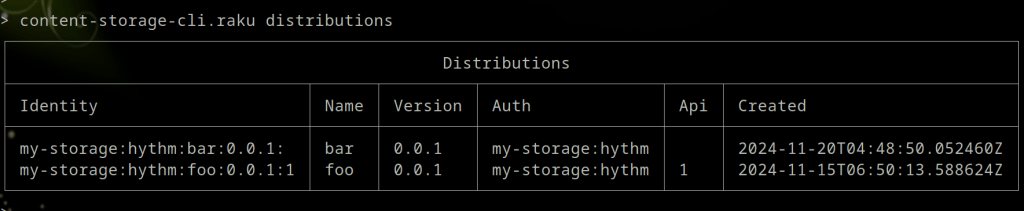
The content-storage-cli Raku module (installable through zef) provides a CLI interface to a content-storage instance using the API exposed by the web-service:
For instance, to list available distributions:
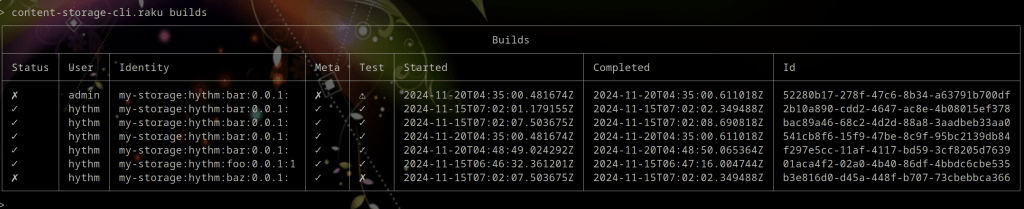
or to list available build results:
The command line interface also allows uploading distributions:
All in all, this gives a person or organization the tools to build their own trusted Raku ecosystem!
(Thanks to Elizabeth Mattijsen for editing the post and adding better explanation.)
Thank you for reading!
 Raku Advent Calendar
2 thoughts on “Day 13 – Content Storage For Raku Distributions”